YouTube Kbd Nav: A Browser Extension to Enhance YouTube's UI and Keyboard Shortcuts
YouTube's UI/UX development is quite disappointing to me. At first and
for years, they were very much ahead of everybody else in terms of
UI/UX and overall innovation, but, as time goes on, what you see is
stagnation and lack of initiative, i.e., less and less new features
and improvements. As a result, competitors have been gaining a bigger
and bigger market share. Websites and apps such as Vimeo, Twitch,
Tiktok, Instagram, DTube
Peter Thiel in his "Competition is for Losers" lecture argues that, since monopolies have a lot of financial safety, innovation will be much more likely to happen. However, I think that's only true in their initial stages, when the future monopoly is trying to disrupt the status quo — and if you have employees and incentives focused on innovation. And that's not very far from what we see with the few established tech businesses such as Google, Facebook, Twitter and others.
For example, there are plenty of browser extensions which offer
valuable features to YouTube's interface, most which would take less
than a month for a Google developer to implement
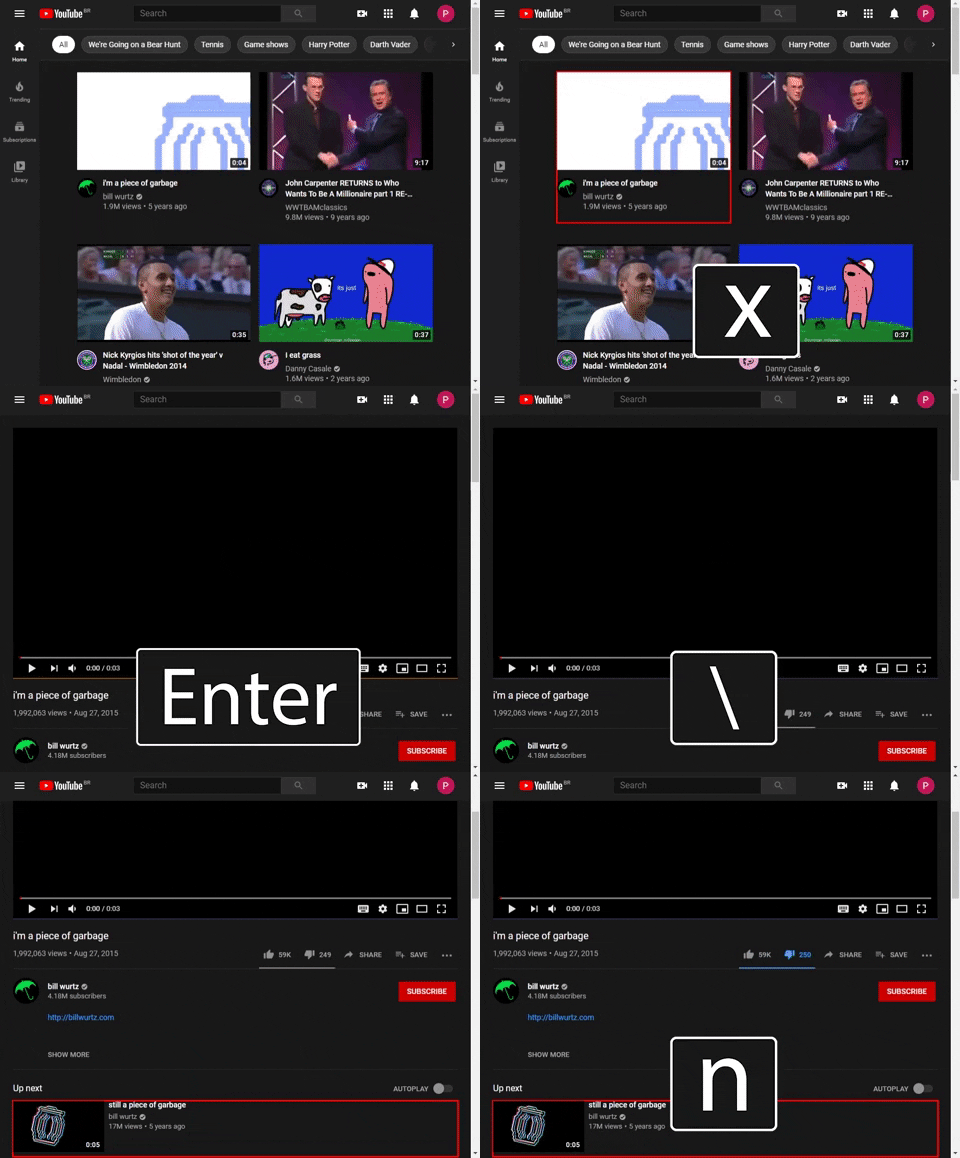
With the lack of initiative in mind and enough know-how to enhance YouTube's UI myself, I chose to create a browser extension to add new keyboard shortcuts and some other visual aides to help the user navigate the behemoth more seamlessly.
You can look at the complete table of newly available shortcuts here. Keep in mind that they may change in the future — if you're installing through the extension stores, updates will be done automatically —, and that there are already many forbidden keys I cannot use because they are already used either by YouTube itself or the browser. Even though the extension is published on the Chrome's, Microsoft Edge's and Firefox's extension stores, if you're really interested in this particular extension, I highly suggest you take a look at both the release and issue pages.
At any rate, most of the core functionalities are:
- Ability to cycle, with only the keyboard, the thumbnails on a YouTube page.
- Shortcuts for YouTube's home and history pages.
- A shortcut for copying the link of the current video.
- A visual decoration on the video element so you know if it is the currently focused element or not — this is accompanied by a shortcut for (un)focusing the video element.
- A shortcut for focusing on the comment box.
You can download the extension through the following links:
| Browser Extension Store |
|---|
| Chrome |
|
Firefox |
|
Edge |
Again, the shortcuts below might change drastically, but, for now, here is their table:
| Shortcut | Action |
|---|---|
| z | Cycle forwards on the thumbnails |
| x | Cycle backwards on the thumbnails |
| Enter | Navigate to the selected thumbnail |
| Ctrl + Enter | Open a new tab for the selected thumbnail |
| q | YouTube Home |
| Ctrl + q | New Tab to YouTube Home |
| h | YouTube History |
| Ctrl + h | New Tab to YouTube History |
| e | Subscribe to the channel |
| v | Like the video |
| n | Dislike the video |
| b | Copies the shortened URL of the video |
| y | Opens the notification pop-up |
| Ctrl + [ | Focuses on the comment box |
| Ctrl + ] | Toggles the expansion of the description |
| ; | Go to the channel's page |
| Ctrl + ; | Go to the channel's page on a new tab |
| = | Go to the video's channel |
| Ctrl + = | Go to the video's channel on a new tab |
| \ | Toggle the video player's focus |
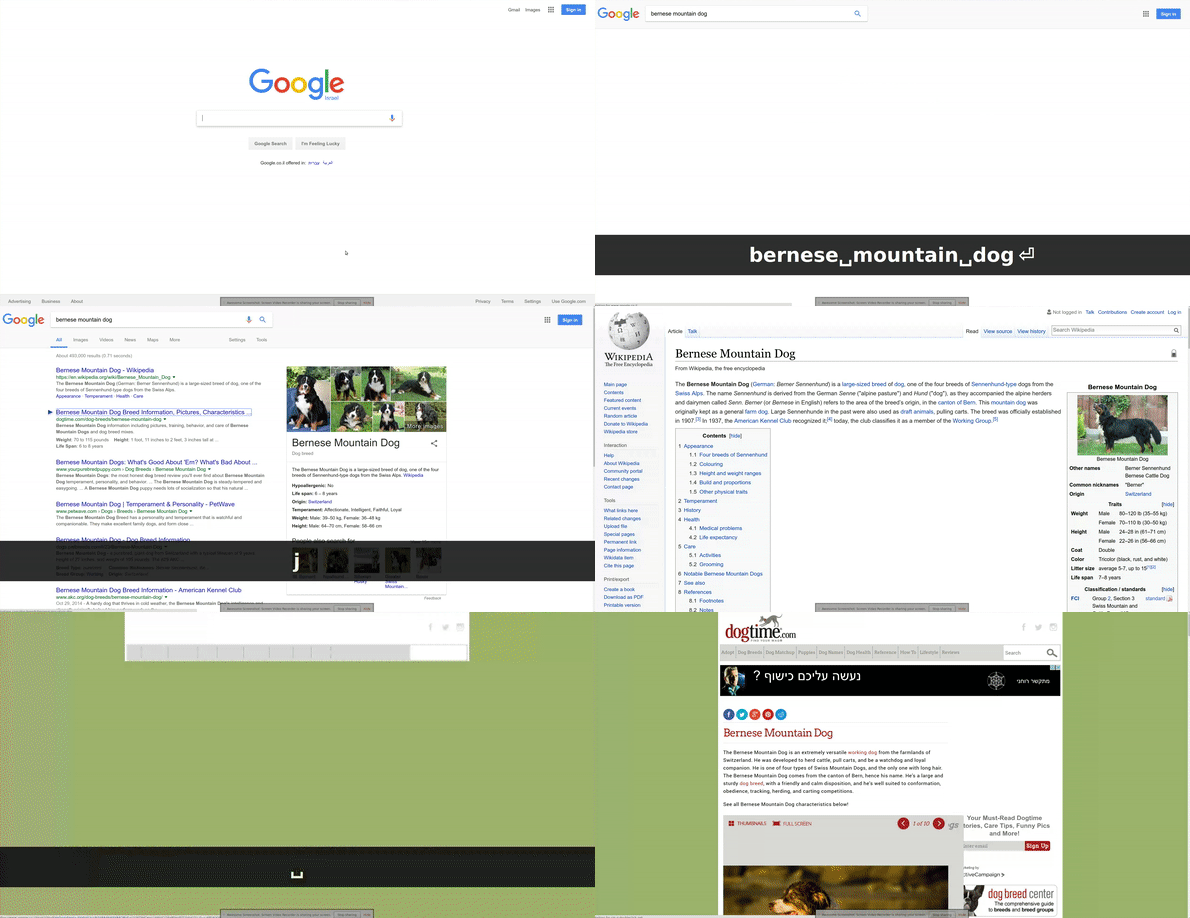
The whole interface and idea behind this extension are largely
inspired by the underappreciated and largely unknown
Web Search Navigator
browser extension. It is by far the extension which most
improved